
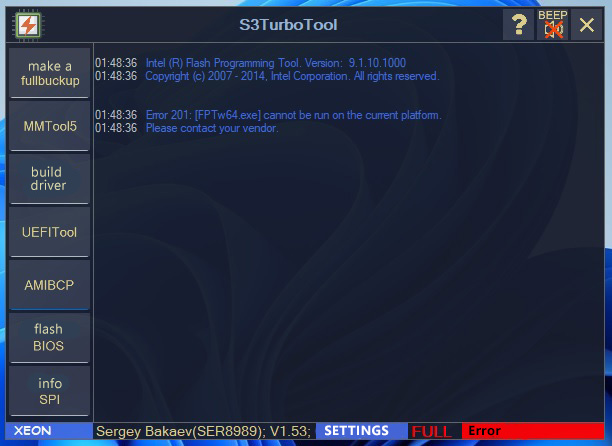
What is S3TurboTool?
S3TurboTool is a utility designed to optimize and streamline the management of S3 repositories, providing users with a robust set of tools to simplify their workflow. By leveraging S3TurboTool, users can efficiently manage their repositories, perform snapshot routines, and execute rollback steps with ease. This comprehensive guide will delve into the world of S3TurboTool, exploring its key features, installation process, technical specifications, pros and cons, and frequently asked questions.
Key Features of S3TurboTool
Main Features
S3TurboTool boasts an array of features that make it an indispensable tool for S3 repository management. Some of its key features include:
- Snapshot Routines: S3TurboTool enables users to create and manage snapshots of their repositories, allowing for easy tracking of changes and rollbacks when necessary.
- Rollback Steps: With S3TurboTool, users can execute rollback steps to revert their repositories to a previous state, minimizing the risk of data loss and corruption.
- Secure Repositories: S3TurboTool provides users with robust security features to protect their repositories from unauthorized access and data breaches.
Additional Features
In addition to its main features, S3TurboTool offers a range of supplementary features that enhance its functionality. These include:
- Repository Analytics: S3TurboTool provides users with in-depth analytics and insights into their repository usage, enabling them to optimize their storage and workflow.
- Customizable Dashboard: The tool’s dashboard can be customized to suit individual user preferences, providing a personalized experience.
Installation Guide
System Requirements
Before installing S3TurboTool, ensure that your system meets the following requirements:
- Operating System: Windows 10 or later, macOS High Sierra or later, or Linux Ubuntu 18.04 or later
- Processor: 2 GHz dual-core processor or higher
- Memory: 4 GB RAM or higher
- Storage: 10 GB available disk space or higher
Installation Steps
Follow these steps to install S3TurboTool:
- Download the S3TurboTool installation package from the official website.
- Run the installer and follow the on-screen instructions to complete the installation process.
- Launch S3TurboTool and follow the prompts to set up your repository and configure the tool.
Technical Specifications
Architecture
S3TurboTool is built on a robust architecture that ensures high performance, scalability, and reliability. The tool’s architecture consists of the following components:
- Repository Manager: Handles repository creation, management, and deletion.
- Snapshots Manager: Manages snapshot creation, deletion, and restoration.
- Rollback Manager: Executes rollback steps to revert repositories to a previous state.
Security Features
S3TurboTool incorporates advanced security features to protect user repositories, including:
- Encryption: Data is encrypted using industry-standard encryption protocols.
- Access Control: Users can set access controls to restrict repository access.
- Audit Logging: All repository activities are logged for auditing and compliance purposes.
Pros and Cons
Pros
S3TurboTool offers several benefits, including:
- Streamlined Repository Management: Simplifies repository management tasks.
- Robust Security Features: Protects user repositories from unauthorized access and data breaches.
- Customizable Dashboard: Provides a personalized experience.
Cons
While S3TurboTool offers numerous benefits, it also has some drawbacks:
- Steep Learning Curve: Requires users to invest time in learning the tool’s features and functionality.
- Resource Intensive: Requires significant system resources to run efficiently.
FAQ
Frequently Asked Questions
Below are some frequently asked questions about S3TurboTool:
- Q: Is S3TurboTool compatible with my operating system? A: Yes, S3TurboTool is compatible with Windows, macOS, and Linux operating systems.
- Q: Can I use S3TurboTool for free? A: Yes, S3TurboTool offers a free trial period. After the trial period expires, you can purchase a license to continue using the tool.
Conclusion
S3TurboTool is a powerful utility that simplifies S3 repository management, providing users with a robust set of tools to streamline their workflow. With its snapshot routines, rollback steps, and secure repositories, S3TurboTool is an indispensable tool for anyone managing S3 repositories. By following this guide, users can get started with S3TurboTool and take advantage of its features to optimize their repository management tasks.