
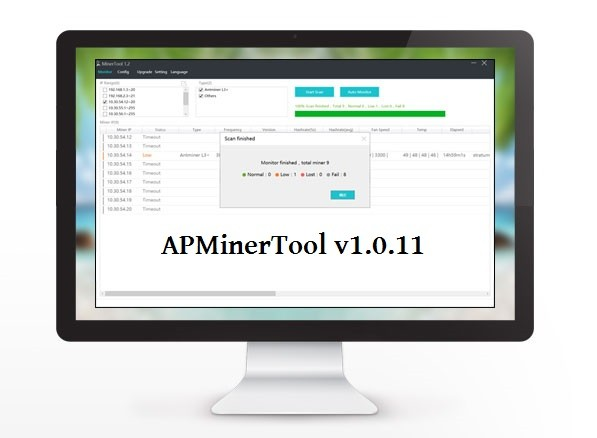
What is APMinerTool?
APMinerTool is a comprehensive software solution designed to streamline the workflow of miners, providing a robust set of tools to manage and optimize their operations efficiently. This powerful platform is equipped with features that cater to the specific needs of miners, ensuring they can maximize their productivity and profitability. Whether it’s setting up and managing mining rigs, monitoring performance, or troubleshooting issues, APMinerTool is engineered to make the process smoother and more effective.
Main Features of APMinerTool
At its core, APMinerTool boasts a range of features that make it an indispensable asset for miners. These include advanced setup and configuration options for mining rigs, real-time performance monitoring, and a sophisticated troubleshooting system to quickly identify and resolve issues. Additionally, the software provides a secure and reliable way to manage and backup data, ensuring that critical information is always safe and easily accessible.
Installation Guide
System Requirements
Before installing APMinerTool, it’s essential to ensure your system meets the minimum requirements. These typically include a compatible operating system (such as Windows or Linux), a certain level of RAM, and specific graphics card requirements. It’s also crucial to have the latest drivers installed for your hardware.
Step-by-Step Installation Process
1. Download the Software: Visit the official APMinerTool website and download the latest version of the software. Make sure to select the correct version for your operating system.
2. Run the Installer: Once the download is complete, run the installer and follow the prompts to begin the installation process.
3. Accept the License Agreement: Read through the license agreement carefully and accept the terms to proceed.
4. Choose the Installation Location: Select the directory where you want to install APMinerTool. It’s recommended to use the default location unless you have a specific reason to choose otherwise.
5. Install the Software: The installer will then begin copying files and installing the software. This process may take a few minutes.
6. Launch APMinerTool: Once the installation is complete, you can launch APMinerTool and begin setting up your mining operations.
Technical Specifications
Hardware Compatibility
APMinerTool is designed to be compatible with a wide range of mining hardware, including popular models from leading manufacturers. The software supports both AMD and NVIDIA graphics cards, making it versatile for different mining setups.
Software Requirements
In addition to the hardware requirements, APMinerTool also needs specific software components to run smoothly. These include the latest drivers for your graphics card and a compatible operating system.
Pros and Cons
Advantages of Using APMinerTool
- Efficient Mining Operations: APMinerTool is optimized for performance, allowing miners to get the most out of their hardware.
- Advanced Security Features: The software includes robust security measures to protect your data and prevent unauthorized access.
- User-Friendly Interface: Despite its advanced features, APMinerTool has an intuitive interface that makes it easy to navigate and use.
Disadvantages and Limitations
- Steep Learning Curve for Beginners: While the interface is user-friendly, the software’s advanced features can be overwhelming for new miners.
- System Requirements: APMinerTool requires a powerful system to run efficiently, which can be a drawback for those with lower-end hardware.
FAQ
Frequently Asked Questions
Q: Is APMinerTool free to download?
A: Yes, APMinerTool offers a free version that includes most of the core features. However, some advanced features may require a subscription or a one-time purchase.
Q: How do I troubleshoot common issues with APMinerTool?
A: The software comes with a built-in troubleshooting guide and support resources. You can also contact the APMinerTool support team for assistance.
Q: Can I use APMinerTool with my existing mining setup?
A: Yes, APMinerTool is designed to be compatible with a wide range of mining setups. However, it’s recommended to check the system requirements and hardware compatibility before installation.