
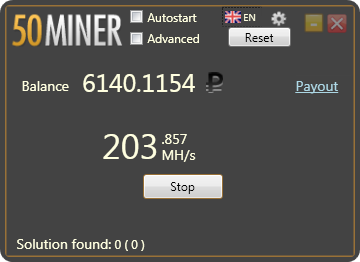
What is 50Miner?
50Miner is a popular cryptocurrency mining software designed to help users maximize their mining potential. It is a user-friendly platform that allows miners to easily manage their mining rigs, monitor their performance, and optimize their settings for maximum profitability. In this article, we will delve into the world of 50Miner, exploring its features, benefits, and technical specifications, as well as providing a comprehensive installation guide and troubleshooting tips.
Main Features and Benefits
50Miner offers a range of features that set it apart from other mining software. Some of its key features include:
- Multi-algorithm support, allowing users to mine a variety of cryptocurrencies
- Real-time monitoring and analytics, enabling users to track their mining performance and make data-driven decisions
- Automated updates and alerts, ensuring that users stay up-to-date with the latest mining trends and best practices
- A user-friendly interface, making it easy for miners of all skill levels to navigate and customize their settings
How 50Miner Works
Miner Setup and Configuration
To get started with 50Miner, users need to set up and configure their mining rig. This involves installing the software, connecting their mining hardware, and setting their mining pool and wallet details. 50Miner provides a comprehensive setup guide to help users through this process.
Hardware Requirements
50Miner is compatible with a range of mining hardware, including ASICs, GPUs, and CPUs. However, the specific hardware requirements will depend on the cryptocurrency being mined and the user’s desired level of performance. In general, users will need a computer with a 64-bit operating system, at least 4GB of RAM, and a reliable internet connection.
Installation Guide
Step 1: Download and Install 50Miner
To download 50Miner, users can visit the official website and click on the “Download” button. Once the download is complete, users can install the software by following the on-screen instructions.
System Requirements
| Operating System | Windows 10 or later |
|---|---|
| Processor | 64-bit processor |
| RAM | At least 4GB |
| Internet Connection | Reliable internet connection |
Step 2: Connect Your Mining Hardware
Once 50Miner is installed, users need to connect their mining hardware to the software. This involves selecting the correct mining device from the dropdown menu and entering the device’s IP address.
Technical Specifications
Algorithm Support
50Miner supports a range of mining algorithms, including SHA-256, Scrypt, and Ethash. This allows users to mine a variety of cryptocurrencies, including Bitcoin, Litecoin, and Ethereum.
Hashrate and Power Consumption
The hashrate and power consumption of 50Miner will depend on the specific mining hardware being used. However, the software is designed to optimize performance and minimize power consumption, making it a cost-effective option for miners.
Pros and Cons
Pros
Some of the key benefits of using 50Miner include:
- User-friendly interface and setup process
- Real-time monitoring and analytics
- Automated updates and alerts
- Multi-algorithm support
Cons
Some of the potential drawbacks of using 50Miner include:
- Steep learning curve for advanced features
- Dependence on internet connection for real-time monitoring
- May not be compatible with all mining hardware
FAQ
Q: Is 50Miner free to download?
A: Yes, 50Miner is free to download and use. However, users may need to pay for certain premium features or services.
Q: What are the system requirements for 50Miner?
A: 50Miner requires a 64-bit operating system, at least 4GB of RAM, and a reliable internet connection.
Q: Can I use 50Miner with my existing mining hardware?
A: Yes, 50Miner is compatible with a range of mining hardware, including ASICs, GPUs, and CPUs. However, users should check the software’s compatibility with their specific hardware before downloading.
Troubleshooting Tips
Common Issues and Solutions
If users experience any issues with 50Miner, there are several troubleshooting tips they can try. These include:
- Checking the software’s compatibility with their mining hardware
- Ensuring that their internet connection is stable and reliable
- Updating the software to the latest version
- Reaching out to the 50Miner support team for assistance
Conclusion
In conclusion, 50Miner is a powerful and user-friendly mining software that can help users maximize their mining potential. With its range of features, including real-time monitoring and analytics, automated updates and alerts, and multi-algorithm support, 50Miner is an ideal choice for miners of all skill levels. By following the installation guide and troubleshooting tips outlined in this article, users can get started with 50Miner and start optimizing their mining performance today.