
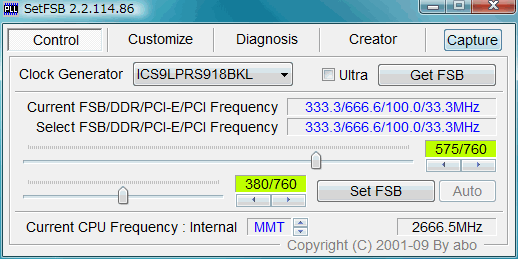
What is SetFSB?
SetFSB is a utility software designed to help users manage and optimize the Front Side Bus (FSB) of their computer’s central processing unit (CPU). The FSB is a critical component that determines the speed at which data is transferred between the CPU and other system components. By adjusting the FSB, users can potentially improve the overall performance of their system.
How SetFSB Works
SetFSB works by allowing users to adjust the frequency of their CPU’s FSB. This is typically done by modifying the CPU’s multiplier or the FSB’s clock speed. By increasing the FSB frequency, users can potentially improve the performance of their system, but this can also increase the risk of system instability or damage to the CPU.
Key Benefits of Using SetFSB
There are several benefits to using SetFSB, including:
- Improved system performance: By adjusting the FSB, users can potentially improve the overall performance of their system.
- Increased overclocking capabilities: SetFSB can be used to push the limits of a CPU’s performance, allowing users to achieve higher clock speeds and better performance.
- Easy to use: SetFSB is designed to be user-friendly, making it easy for users to adjust their FSB settings without requiring extensive technical knowledge.
Installation Guide
Downloading and Installing SetFSB
To get started with SetFSB, users will need to download and install the software. This can be done by following these steps:
- Visit the official SetFSB website and click on the download link.
- Save the file to a location on your computer, such as the desktop.
- Once the download is complete, run the installer and follow the prompts to install SetFSB.
Setting Up SetFSB
Once SetFSB is installed, users will need to set it up to work with their system. This can be done by following these steps:
- Launch SetFSB and select the CPU type from the drop-down menu.
- Enter the desired FSB frequency and click the